
Choose your tool
Pick the tool you need and get started.
Create a CV, write a cover letter, edit images, work with PDFs and split photos — all in one place.
Free · No signup45 CV templates · Live preview · Free tools · No signup
Choose a task. We’ll take you to the right tool.
Start with a blank page, a photo or a document. Make it yours, then download your work.
Pick the tool you need and get started.
Add your content, edit and preview your work.
Download your finished file, ready to use.
Useful tools for work, applications and everyday ideas.
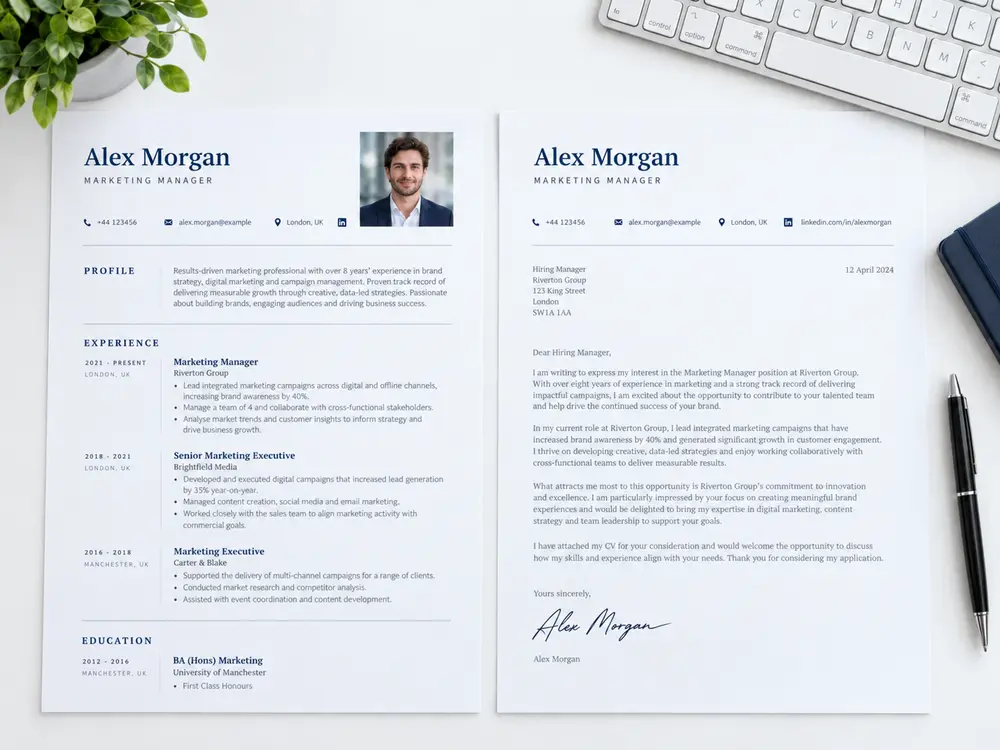
Build an application that tells your story clearly.
Choose from 45 templates and see changes live.
Create a cover letter that matches your application.
15 roles. Practical guidance. Ready to edit.
Handle the little tasks between your idea and the finished file.
Edit photos, add text, make collages and letter portraits, combine images and export. Advanced tools run locally in your browser.
Merge, split and organize PDF files.
Create ordered tiles for posts and projects.
Use clear section headings and short paragraphs so readers can quickly find your experience, education and skills.
Put the experience most relevant to the role first. Use specific examples to explain your contribution.
Check spelling, dates and contact details, then review the full preview before downloading your CV.
Keep an original copy of your image or document so you can return to it when you need another edit.
Choose the tool that suits your task: edit a photo, arrange PDF pages or split an image into tiles.
Review page order, image clarity and the downloaded file before sharing it with someone else.
Start right away.
Image · Text · Compose
Download your finished file, ready to use.
Quick answers to common questions about using Pastegram.
Yes. The CV and cover letter tools are presented as free to use. There is no signup required to start creating your documents.
No account or signup is required to open the builder and get started.
Yes. The editor includes a live preview so you can review your layout as you update your details.
Yes. You can export your CV as a PDF. The CV builder exports PDF. The cover letter builder supports print/PDF and downloadable DOCX format.
Edit photos, add text, make collages and letter portraits, combine images and export. Advanced tools run locally in your browser.
Image editor guide →